
Facilitation Tools That Keep the Retro on Track
EasyRetro gives facilitators control of the meeting flow. A shared timer keeps activities timeboxed, highlight mode focuses everyone on one card, columns can be hidden until they are needed, and an enforced sort order makes sure the whole team looks at the same board.
- Shared countdown timer, up to 60 minutes
- Add a minute, pause and resume
- Sound when the timer ends
- Presentation mode
- Highlight mode
Available on: All plans, including Free
See Facilitation tools in action
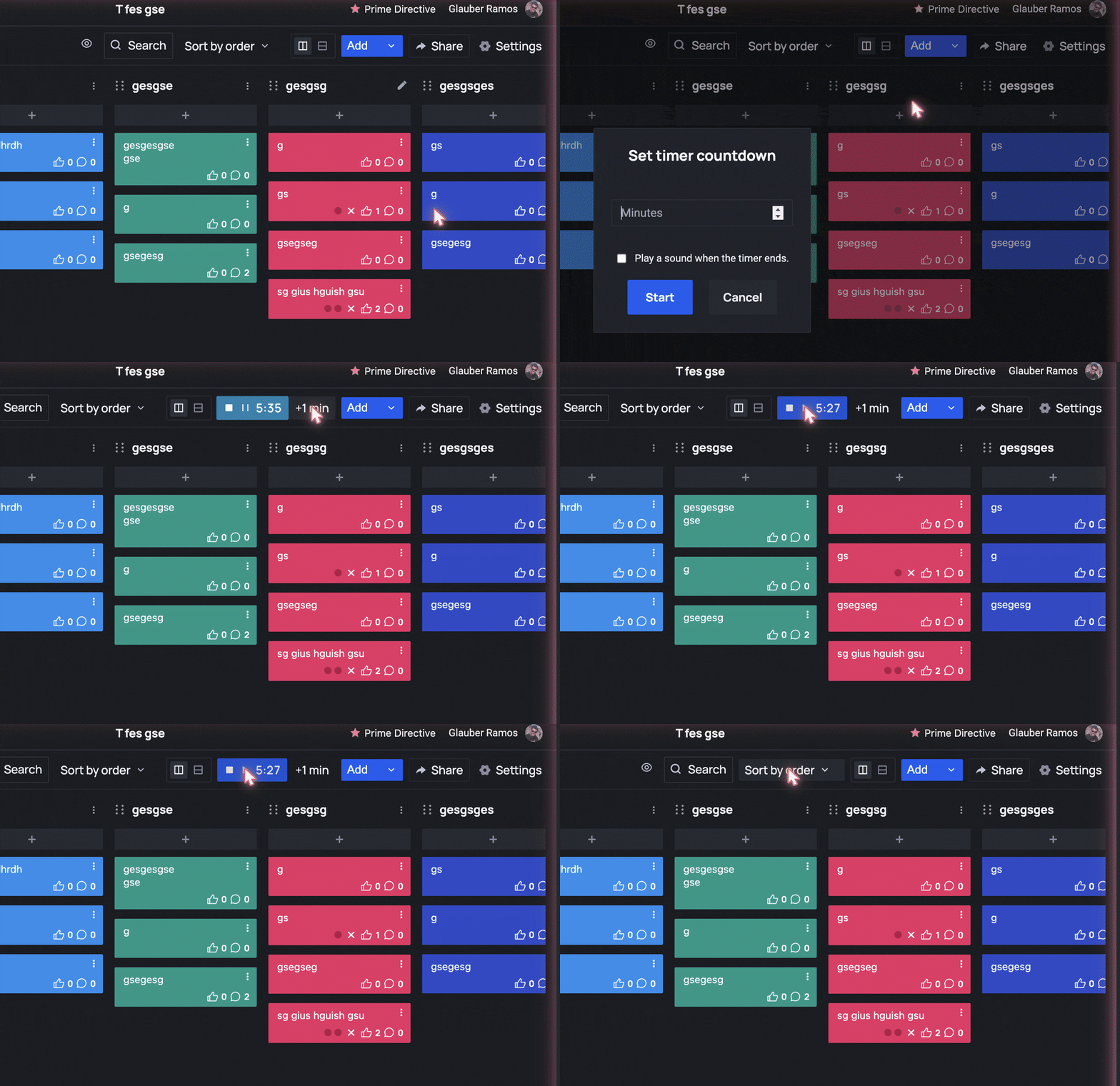
A timer everyone sees
Start a countdown for writing, voting or discussion. Add a minute, pause and resume without restarting, and play a sound when time is up.
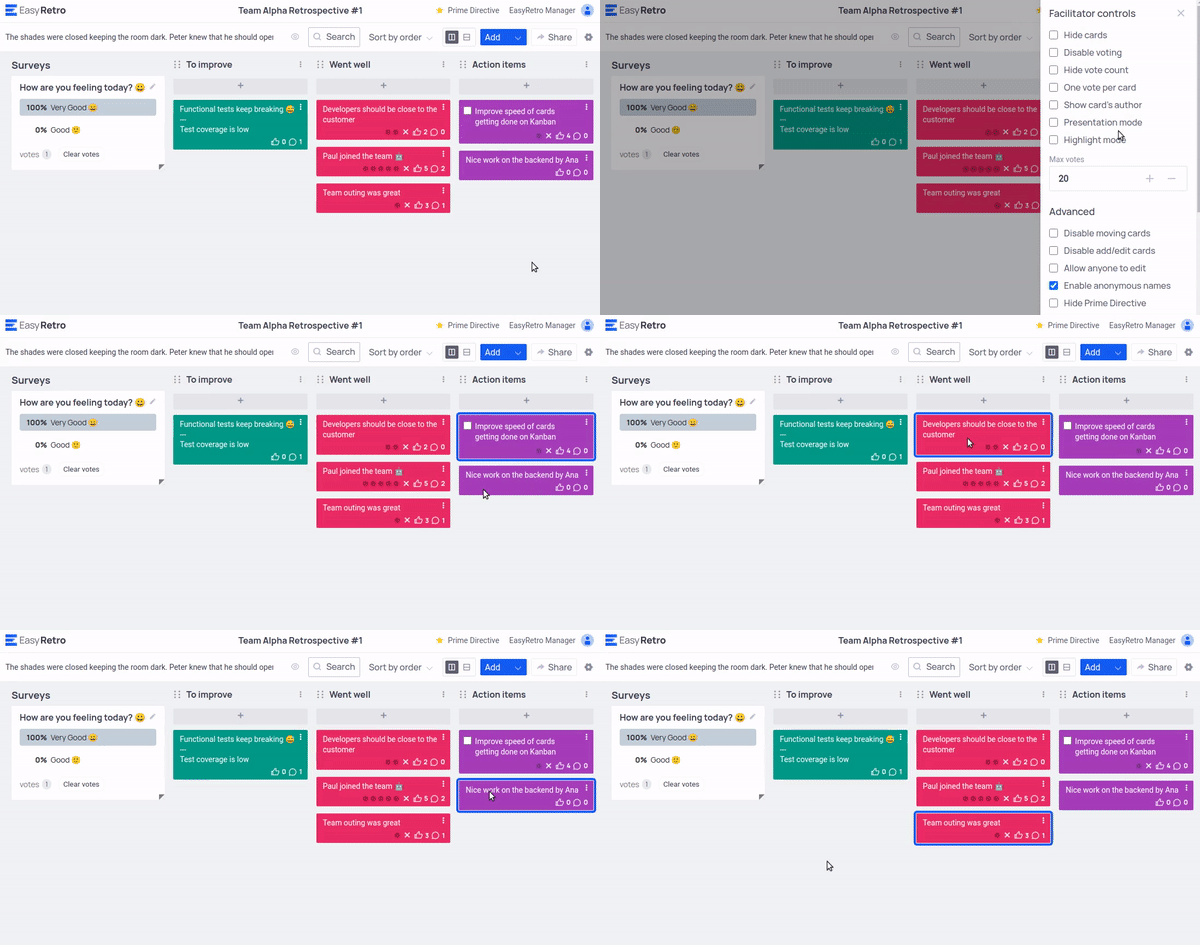
Highlight the card being discussed
Highlight mode puts one card in focus for every participant, so the conversation stays on a single topic.
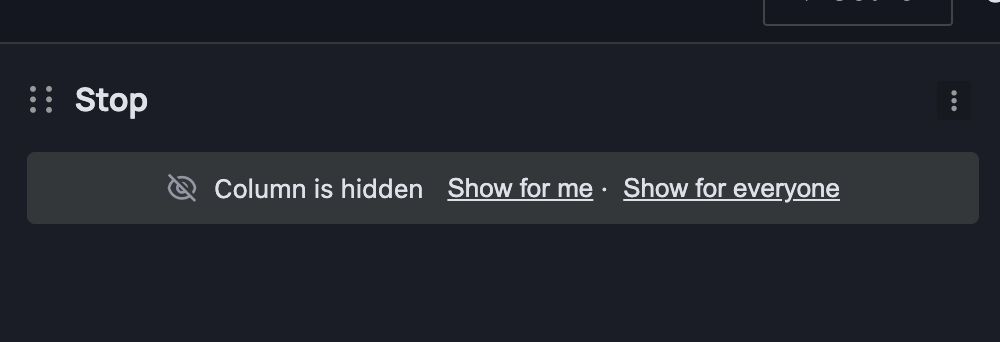
Reveal the board step by step
Hide a column until it is time to use it, for example keep Action items hidden until the discussion is done.
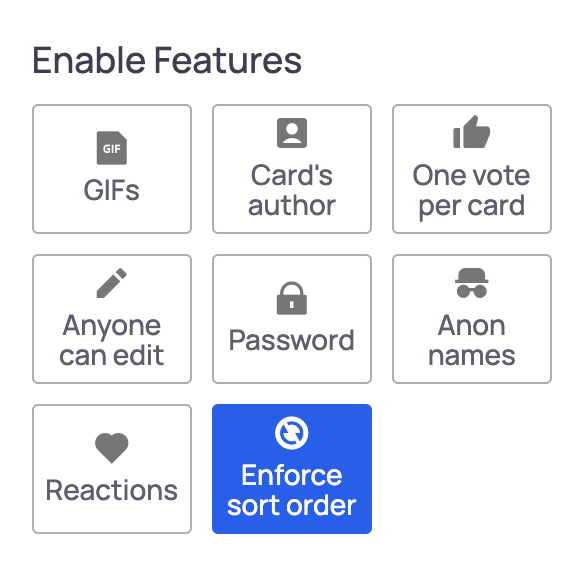
Everyone sees the same order
Enforce the sort order so that all participants see cards sorted the same way, for instance by votes.
How it works, in 3 simple steps
- 1
Start a timer
Timebox writing, voting and discussion for everyone on the board.
- 2
Reveal step by step
Hide cards and columns until the team needs them.
- 3
Focus the conversation
Highlight one card at a time and keep the same sort order for all.
Everything included in Facilitation tools
- Shared countdown timer, up to 60 minutes
- Add a minute, pause and resume
- Sound when the timer ends
- Presentation mode
- Highlight mode
- Pin cards
- Hide column
- Show cards by column
- Enforce sort order
- Retrospective prime directive on the board
- Facilitator onboarding
- Keyboard shortcuts
- Share by QR code
More EasyRetro features
Every part of the retrospective is covered. Explore the rest.
- Retrospective board
- Templates
- Voting
- Anonymous retrospectives
- AI features
- Action items
- Surveys and health checks
- Analytics and meeting summary
- Export and reports
- Teams and dashboard
- SSO, audit logs and security
Frequently asked questions
Does EasyRetro have a timer?
Yes. Every board has a shared countdown timer with pause, resume, add a minute and an optional end sound.
Can I control what participants see?
Yes. Facilitators can hide cards, hide columns, highlight a single card and enforce one sort order for everyone.
Ready for your next retrospective?
Create a free board in seconds. No training needed, unlimited participants, no credit card.