
Retrospective Action Items That Actually Get Done
EasyRetro tracks retrospective action items from creation to completion. Each action has an assignee and a due date, all actions are listed on one page across boards and teams, and unfinished actions from previous retrospectives appear on the next board automatically.
- Action items on any board
- Assignee and due date
- Open action items panel on every board, team or public
- Actions page across all boards
- Filter actions by team
Available on: All plans. Jira and Trello export on paid plans
See Action items in action
Open actions follow the team to the next retro
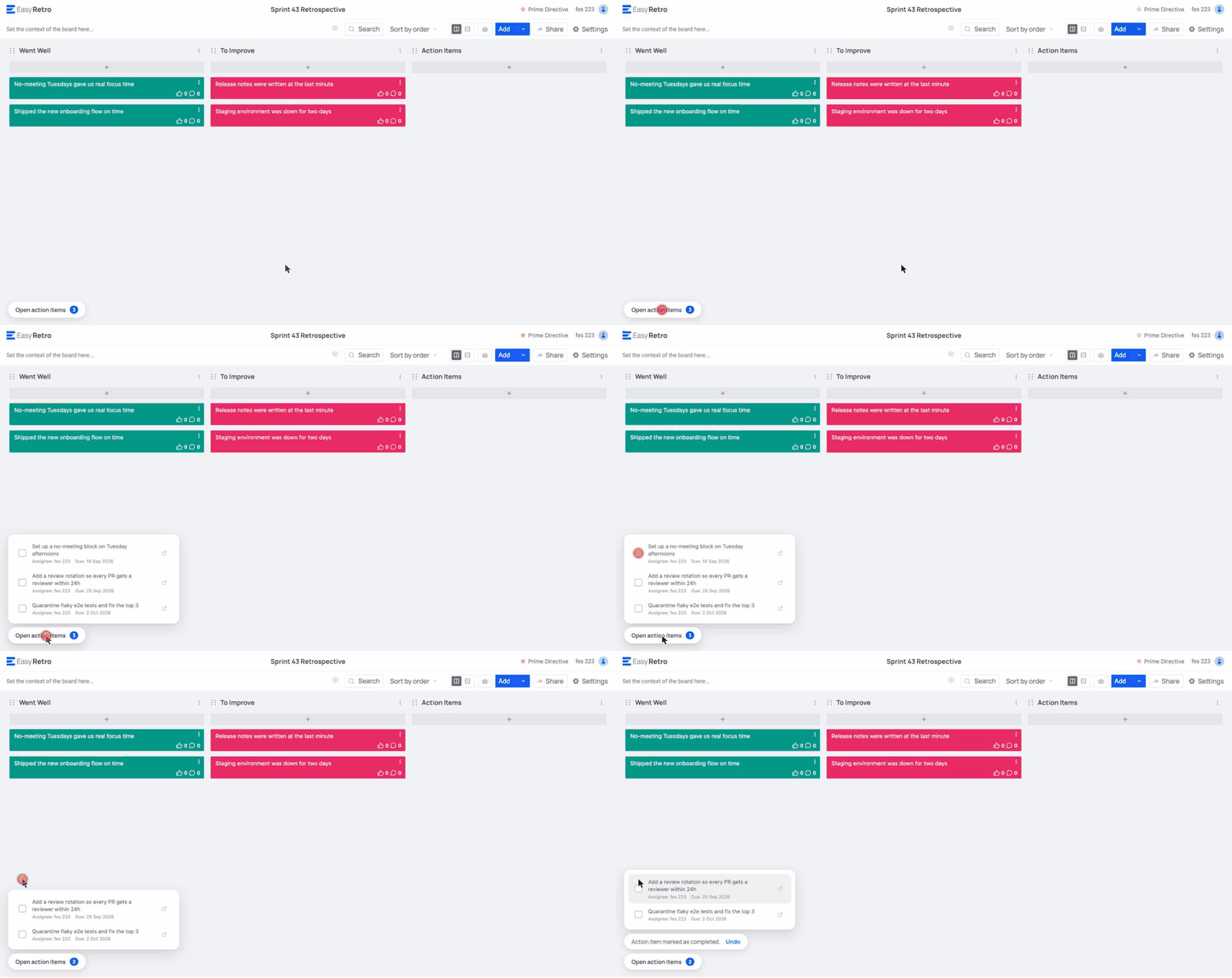
Every board shows a panel with unfinished action items from your other boards, with assignee, due date and a link to the source board. On team boards the whole team sees the open items of the team, and on public boards the owner sees the open items from their other public boards. Check one off and it updates on the original board.
Assign owners and due dates
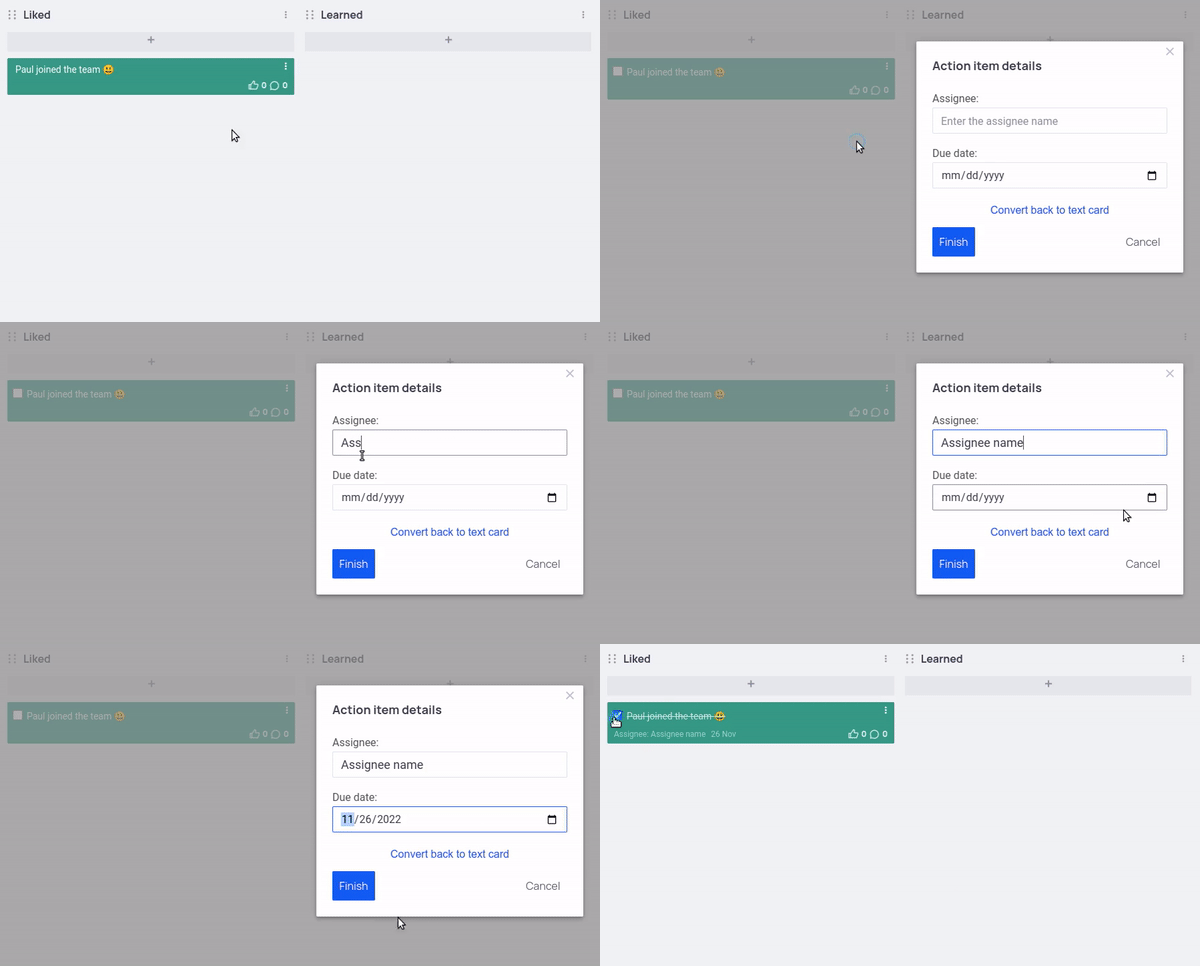
Turn any card into an action item, assign it to a team member and set a due date.
One page for every action
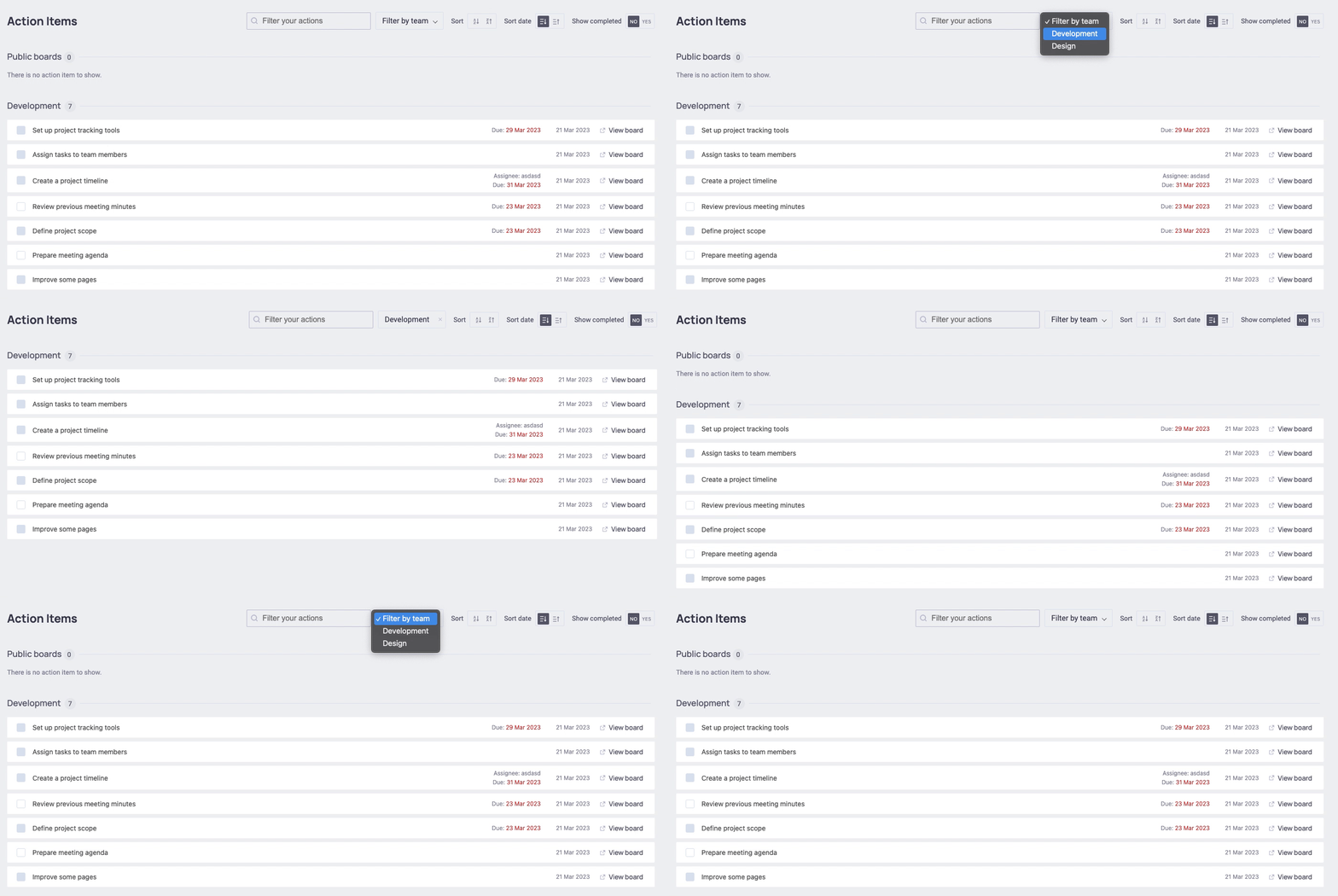
The Actions page lists action items from all your boards. Filter by team and mark them as done without opening each board.
Send actions to Jira
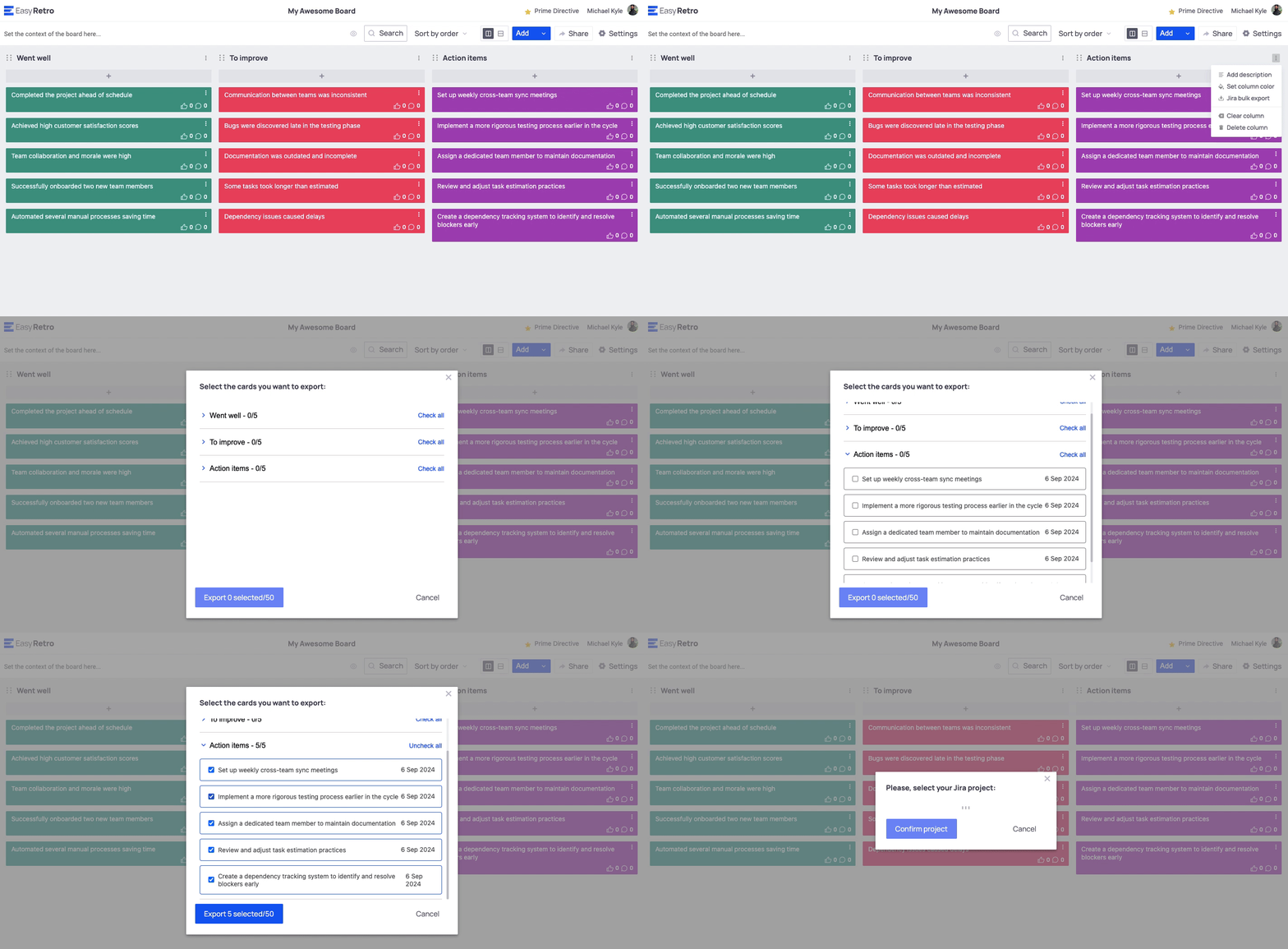
Export action items and cards to Jira as issues, one by one or in bulk, choosing the project and issue type.
How it works, in 3 simple steps
- 1
Create action items
Turn any card into an action, with an owner and a due date.
- 2
Track them in one place
See every open action across boards and teams on the Actions page.
- 3
Review them next retro
Open actions show up on the next board, and can go to Jira in one click.
Everything included in Action items
- Action items on any board
- Assignee and due date
- Open action items panel on every board, team or public
- Actions page across all boards
- Filter actions by team
- Action completion rate in analytics
- Actions included in exports and the meeting summary
- Export to Jira, single or bulk
- Export to Trello
More EasyRetro features
Every part of the retrospective is covered. Explore the rest.
- Retrospective board
- Templates
- Voting
- Anonymous retrospectives
- Facilitation tools
- AI features
- Surveys and health checks
- Analytics and meeting summary
- Export and reports
- Teams and dashboard
- SSO, audit logs and security
Frequently asked questions
How does EasyRetro track action items between retrospectives?
Every board shows an open action items panel with unfinished actions from previous boards: the same team on team boards, and the other public boards of the owner on public boards. Completing an item there updates the original board.
Can I export action items to Jira?
Yes. Paid plans can export action items and cards to Jira Cloud as issues, individually or in bulk.
Ready for your next retrospective?
Create a free board in seconds. No training needed, unlimited participants, no credit card.